

Choosing a control panel is one of the most important decisions when launching a new server or considering a switch of hosting provider. Each panel has a different philosophy, price point, and target audience. In this article, we compare the four most widely used solutions — cPanel, Plesk, DirectAdmin, and CyberPanel — to help you pick the right one for your needs.
cPanel & WHM — The Industry Standard
cPanel is the oldest and most recognizable panel on the market, dating back to 1996. It offers the most extensive documentation, the largest ecosystem of plugins, themes, and billing integrations, and is supported by virtually every hosting provider.
Pros:
- Huge community and documentation — almost every issue already has a solution online
- Widest compatibility with automated billing and management systems (WHMCS, etc.)
- Intuitive interface for end users (File Manager, WebDisk, email)
Cons:
- The most expensive option on the market, priced per account — costs grow with scale
- Linux only
- Higher system resource consumption compared to alternatives
Best for: hosting companies and agencies for whom compatibility and available support matter more than price.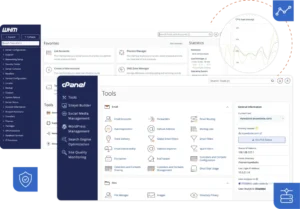
Plesk — Flexibility for Linux and Windows
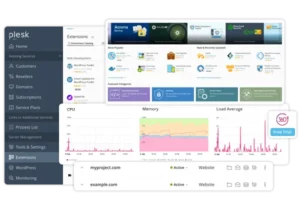
Plesk stands out as the only one of the four that supports both Linux and Windows servers — a significant advantage for clients running .NET or SQL Server applications. Licensing is per server (not per account), making costs more predictable as you scale.
Pros:
- Support for both Windows and Linux in the same panel
- Strong focus on WordPress management (WordPress Toolkit)
- Modern, clean interface with good usability
Cons:
- Higher tiers (for more domains) become significantly more expensive
- Smaller community than cPanel, though actively developed
Best for: providers serving mixed Linux/Windows environments, and agencies focused on WordPress clients.
DirectAdmin — The Most Affordable Established Option
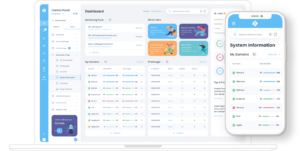
DirectAdmin has been around since 2003 and is known for its exceptionally low resource consumption and simple, task-oriented interface. Licensing is significantly cheaper than cPanel and Plesk, while functionality remains solid for most shared hosting scenarios.
Pros:
- Significantly lower cost than cPanel and Plesk for comparable functionality
- Very light RAM usage — a good choice for resource-constrained servers
- Stable and predictable, with a long-standing reputation
Cons:
- More minimalistic interface — less “visual polish” than cPanel/Plesk
- Smaller ecosystem of plugins and themes
- Linux only
Best for: independent hosters and smaller hosting companies looking for a balance between price and reliability.
CyberPanel — A Free Alternative for WordPress/LiteSpeed
CyberPanel is a relatively new entrant (launched in 2017), built around the OpenLiteSpeed/LiteSpeed web server. The core version is completely free, making it especially attractive for WordPress site owners looking for speed without licensing costs.
Pros:
- Free core version — no monthly licensing fees
- Excellent performance for WordPress thanks to LiteSpeed caching
- Built-in Docker container support in newer versions
Cons:
- Less isolation and security functionality compared to paid solutions
- Tied to the LiteSpeed ecosystem
- Weaker enterprise-level support compared to cPanel/Plesk
Best for: WordPress site owners and developers looking for a fast, free panel without complex enterprise requirements.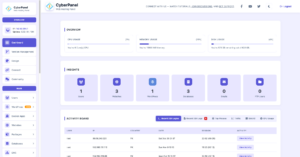
Quick Comparison
| Criterion | cPanel | Plesk | DirectAdmin | CyberPanel |
|---|---|---|---|---|
| Operating System | Linux only | Linux and Windows | Linux only | Linux only |
| Pricing Model | Per account (scales with growth) | Per server, tiered | Per server, cheaper | Free (Enterprise tier paid) |
| Resource Usage | Higher | Medium | Low | Varies by configuration |
| Ecosystem / Plugins | Largest | Large | Smaller | Limited |
| Standout Strength | Compatibility and support | Windows + WordPress | Low cost, lightweight | Free, LiteSpeed speed |
Which Panel Should You Choose?
- If you run a hosting business and compatibility with billing systems and client expectations is the priority → cPanel.
- If you serve clients with Windows applications or focus heavily on WordPress → Plesk.
- If you want solid functionality at a reasonable price without paying a premium for the brand name → DirectAdmin.
- If you’re launching a small project or site and want zero licensing costs with strong WordPress performance → CyberPanel.
Conclusion
There is no universal “best” solution — the right choice depends on your budget, technical requirements, and the type of clients you serve. What matters most is that the panel is installed and configured correctly from the start — with proper security settings, firewall rules, and performance optimization.
We offer professional installation and configuration for all the control panels listed above — cPanel & WHM, Plesk, DirectAdmin, CyberPanel, and others — on all major Linux distributions. Contact us for a free consultation on the best solution for your project.